
Why Is the Download Button Missing or Greyed Out on TikTok?
 By SSS-TIK•
•
5 min read
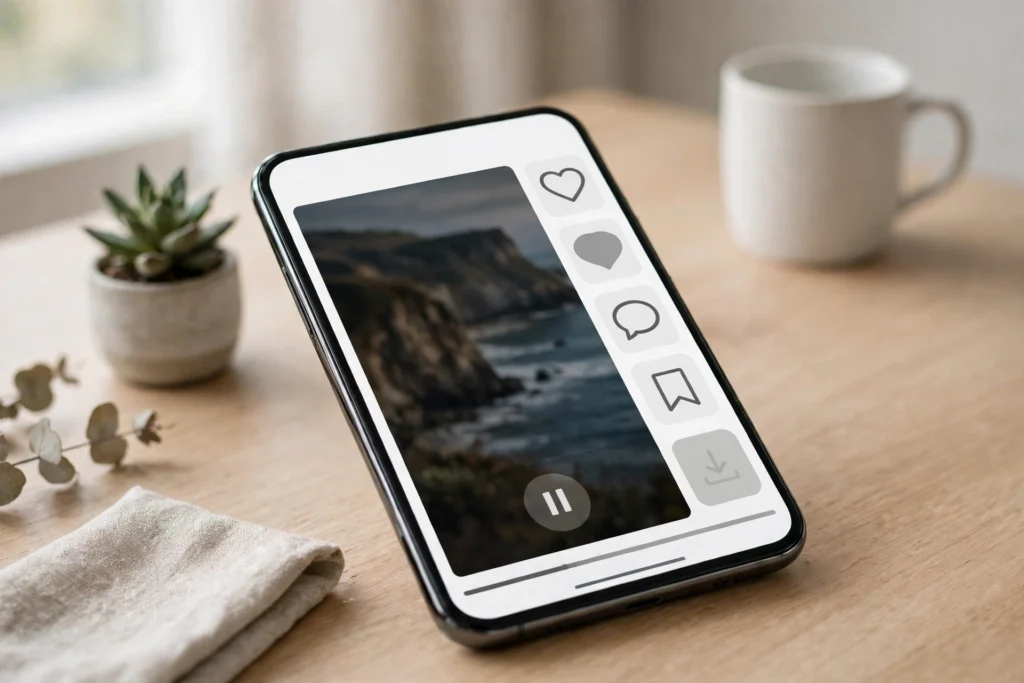
If the download button is missing or greyed out on TikTok, the problem is usually not your phone. TikTok shows Save video only when the creator allows downloads, the video is public, and your account meets the age rules for that video. When one of those conditions is missing, the button disappears or stays pale and unresponsive. This guide explains each cause, shows the checks that help, and says honestly which videos cannot be downloaded. For public videos, you can also test the link with SSS TikTok Downloader.
Why the Download Button Is Missing or Greyed Out
1. The creator disabled downloads. This is the most common reason. A creator can turn downloads off for one video or a whole account. When downloads are off, TikTok removes Save video from the share menu. No phone setting can turn it back on.
2. The video is private or friends-only. A private TikTok video can be seen only by its owner. A friends-only video is visible only to people the creator follows back. If a video changes from public to private, the download button can vanish. If you are not in the intended audience, TikTok will not offer a download.
3. Age restrictions and account limits. TikTok restricts downloads for videos from accounts under 16, and for some age-restricted videos. If you use a younger account, or you are not signed in, the button may be hidden. The same video can therefore show a download option for one viewer and not for another.
4. An app bug, an old app version, or a temporary fault. Sometimes the app has not loaded the video properly. A weak connection, a full cache, or an old version of TikTok can leave the share menu incomplete. The button may also be greyed out for a few minutes after a video is posted, while TikTok is still processing it.
What to Try When You Cannot Download a TikTok Video
Work through these checks in order. Stop as soon as the button returns.
- Close and reopen the video from the creator’s profile. This forces TikTok to reload the video and its current privacy settings.
- Check your connection and update TikTok. Switch between Wi-Fi and mobile data, then update the app from your app store. An old version can hide features that a newer version shows.
- Clear the cache and restart the app. In TikTok, go to Settings and clear the cache. Then close the app fully and open it again.
- Try the same video on another device or in a browser. If the button appears there, the problem is with your first device. If it is missing everywhere, the video is restricted.
- Copy the link and test it with SSS TikTok Downloader. Tap Share, then Copy link. Open SSS TikTok Downloader, paste the link, and download the video if it is public and downloads are allowed. If it does not download here either, the video is restricted.
- Ask the creator for permission. If the video matters to you, send a polite message and ask whether the creator can enable downloads or send you the file.
What Cannot Be Bypassed
No safe website, extension, or app can download a private video, a friends-only video, a deleted video, or a video whose creator has turned downloads off. Tools that claim to do this often try to steal your TikTok password, install malware, or charge you for a fake service. Never enter your TikTok password into a downloader, and never pay to unlock a private video. If you only want to watch it again, save it to your favourites in TikTok. See also why a private, deleted or error TikTok video cannot be downloaded, and how to download a TikTok video to watch offline.
Frequently Asked Questions
Why can I download some TikTok videos but not others? Because each creator chooses the download setting for each video. Public videos with downloads turned on can be saved. Private, friends-only, age-restricted, or download-disabled videos cannot.
Does a greyed-out download button mean my account is blocked? No, not usually. A blocked account would also stop you watching, liking, or commenting. A greyed-out button on one video almost always means that video has a restriction.
Will reinstalling TikTok bring the button back? It can help if the cause is a bug or a corrupted cache. It will not help if the creator disabled downloads or the video is private.
Can I screen-record a video instead? Screen recording is possible on most phones, but it does not make a restricted video yours to share. Only record for your own private viewing, and never repost someone else’s video as your own.
Conclusion
A missing download button on TikTok usually means the creator disabled downloads, the video is private or friends-only, or an age rule applies. A bug or an old app is possible, so update TikTok, clear the cache, and test the link with SSS TikTok Downloader for public videos. If the button stays missing, the video cannot be downloaded. Save it in TikTok or ask the creator for permission.

Content team at SSS-Tik. Sharing helpful guides, tips and updates for a better video experience.