
How to Download a TikTok Video in 720p Quality When HD Is Too Big
 By SSS-TIK•
•
5 min read
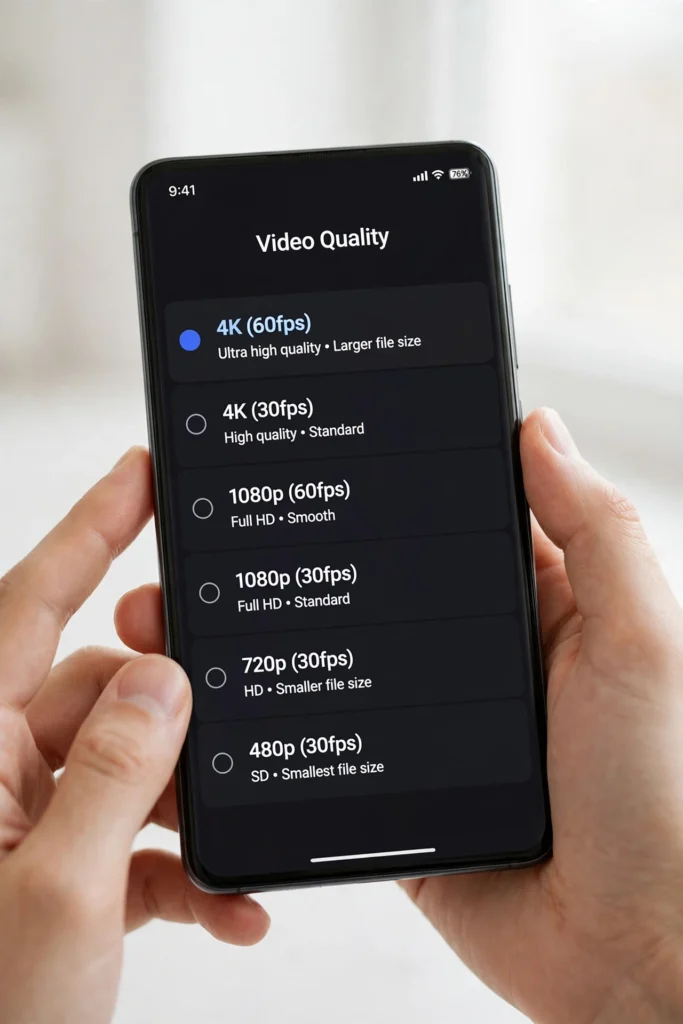
Learning how to download a TikTok video in 720p quality is useful when the HD version is simply too big. A 1080p or 4K file can eat through your mobile data in seconds and fill up a phone that is already short on storage. Choosing 720p gives you a video that still looks sharp on a phone screen, but with a much smaller file that downloads faster and takes up less space. The whole process takes less than a minute once you have the video link.
Why 720p Is the Practical Middle Ground
Video quality is a trade-off between how sharp the picture looks and how large the file is. A 1080p TikTok video looks great on a big screen, but it can be several times larger than the same clip in 720p. On a phone screen, the difference between 720p and 1080p is hard to notice, because the screen is small and you usually hold it close. Choosing 720p means the video downloads faster on slow Wi-Fi, uses less mobile data, and leaves more room on your phone for other videos. It is the practical balance when HD is too big for your data plan or your storage.
Download a TikTok Video in 720p Quality in a Few Steps
Follow these steps to download a TikTok video in 720p quality with the SSS TikTok Downloader. The browser route works on iPhone and Android, and it does not ask you to install anything.
- Open TikTok on your phone and find the video you want to save in 720p.
- Tap Share, then tap Copy link to copy the video address.
- Open your browser and go to sss-tik.com.
- Paste the copied link into the download box on the page.
- Tap Download, then look for the quality options on the page.
- Choose 720p from the list, then tap Download again to save that version.
- Wait for the download to finish, then find the video in your Gallery or Photos.
If the page only offers one quality, try the download again, or pick the standard quality option, which is usually close to 720p. If the creator has allowed downloads, you can also save the video inside TikTok, but that version may be larger and often has a watermark.
When to Pick 720p Instead of 1080p or 4K
Pick 720p when you are on mobile data and every megabyte counts, when your phone is nearly full, or when you plan to share the video on WhatsApp or Discord, where it will be compressed anyway. Pick 1080p or 4K when you plan to watch the video on a TV, edit it, or keep it as a long-term copy. For most everyday viewing on a phone, 720p is enough, and the smaller file is easier to store, send, and back up. If you are not sure which quality to pick, download the 720p version first, watch it, and only grab the larger file if you can see a difference.
Check the File Size After You Download
After the download finishes, check the file size in your Gallery, Photos, or Files app to confirm you got the smaller version. A 720p TikTok video is usually much smaller than the same clip in 1080p, which is exactly what you want when storage is tight. If you want to keep several videos without filling your phone, see how to save downloaded TikTok videos to an external hard drive or USB drive from your phone. If a clip is still too large to send, see how to trim or cut a downloaded TikTok video before sharing it.
What to Do When 720p Is Not Offered
If the download page does not show a 720p option, first check your connection and try again, because the options can fail to load on slow Wi-Fi. Then open TikTok, tap Share, tap Copy link again, and paste the fresh link, since old links can expire. If only HD is offered, download it once, then compress it with your phone’s built-in editor, or trim it before you share it. If the video still will not save, the creator may have turned downloads off, and you will need to choose a different video.
Safety Note
Only download videos from links you trust, and never enter your TikTok password on a download site. Download videos for your own offline viewing, and always credit the creator if you share a clip anywhere else.
FAQ
Is 720p good enough for watching TikTok videos on a phone?
Yes. On a phone screen, 720p looks sharp, and the difference from 1080p is hard to notice. It is a good choice when data or storage is tight.
How do I pick 720p when I download a TikTok video?
Paste the video link on the download page, tap Download, and choose 720p from the quality options before you tap Download again.
Why is my downloaded video still so large?
You may have downloaded the 1080p or 4K version. Download the 720p version instead, or trim the clip before you share it.

Content team at SSS-Tik. Sharing helpful guides, tips and updates for a better video experience.