
TikTok Video File Size: Why Some Downloads Are Bigger Than Others
 By SSS-TIK•
•
4 min read
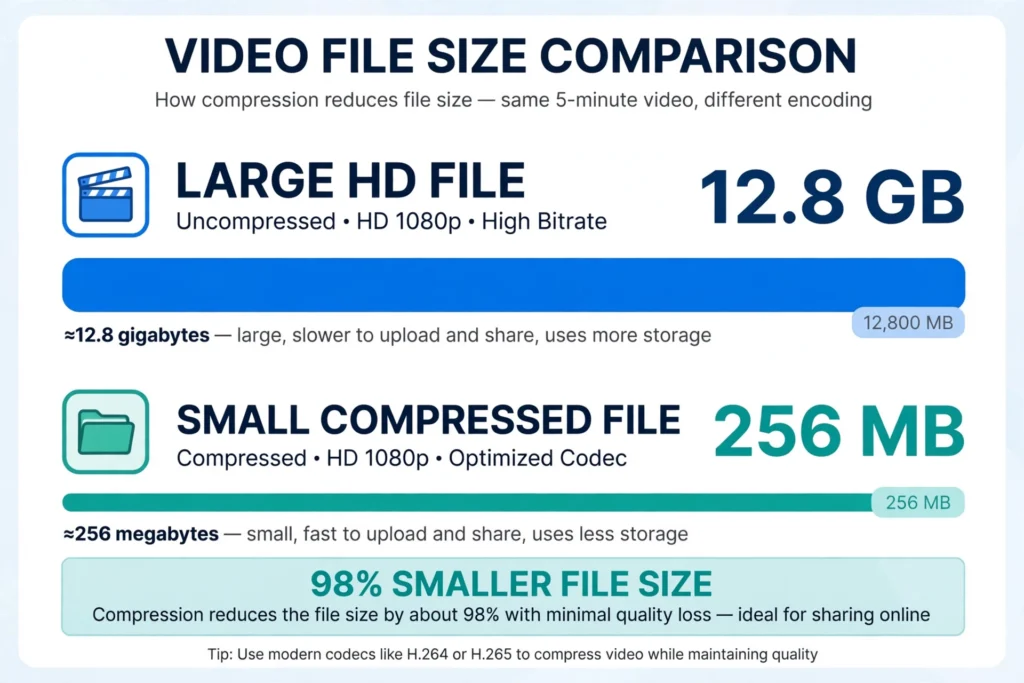
Two TikTok videos that look the same length can download at very different sizes. One may be 3 MB, another 30 MB. That difference is normal, and it comes from what is inside the video file. This guide explains the main TikTok video file size factors, so you can predict storage, choose downloads wisely, and avoid surprises when your phone fills up.
When you save a video with SSS TikTok Downloader, the file size you see in Downloads is the result of those factors, not a mistake in the download.
The Five Factors That Decide File Size
- Length. A 60-second video carries roughly twice the picture and sound data of a 30-second video at the same quality. Length alone can double or triple a file.
- Resolution. A 1080p frame contains far more pixels than a lower-resolution frame. More pixels mean more data for every second of video, which is why high-resolution saves are larger.
- Motion and detail. Fast dancing, camera movement, confetti, water and busy backgrounds change a lot from frame to frame. The encoder must store those changes, so busy videos are bigger than a still talking-head video of the same length.
- Sound. Music, voice and effects add their own data. A video with loud, layered sound is slightly larger than the same video with no sound, though sound is usually a smaller share than picture data.
- Compression. TikTok compresses uploads to keep them streamable. The amount of compression, and how the video was encoded before upload, changes the final size even for similar-looking videos.
How to Check a File Size Before You Run Out of Space
- Check the download folder after saving. Sort Downloads by size or date, and you will see which videos are taking the most space.
- Estimate from length and quality. A short, calm video will be small. A long, fast, high-resolution video will be large. Use that estimate before you download a batch on a nearly full phone.
- Delete previews you do not need. If you downloaded several versions while testing, keep only the final file you actually want.
Managing Large Downloads
Move large files you want to keep to a folder or drive with more room, and delete the rest from your phone. If you want a saved file to appear in your gallery as well, see how to save a downloaded TikTok video to iPhone Photos and Android Gallery. For a general guide to choosing a download format, see HD vs SD: which TikTok download format should you choose, but remember that this article is about size factors, not a format comparison.
Safety Note
Only download public videos, and only reuse or repost a video if it is your own or you have the creator’s permission. File size does not change ownership: a large, high-quality copy is still the creator’s work. See safe use of TikTok downloads and creator rights.
Frequently Asked Questions
Why is one 15-second video 2 MB and another 15 MB?
Because the second video likely has higher resolution, faster motion, more detail or less compression. Length is only one factor; motion and detail matter just as much.
Does a bigger file always mean better quality?
Usually, but not always. A busy, poorly lit video can be large without looking sharp, while a clean, well-lit video can be smaller and look better. Check the picture itself, not only the megabytes.
Can I make a downloaded file smaller?
You can re-encode or trim it in a video editor, but that creates a new, lower-quality copy. Keep the original download if you may need full quality later.
How much space should I keep free?
Keep at least a few hundred megabytes free before downloading a batch. If a download fails part-way, free space is the first thing to check.

Content team at SSS-Tik. Sharing helpful guides, tips and updates for a better video experience.