
How to Download TikTok Audio and Music Separately
 By SSS-TIK•
•
4 min read
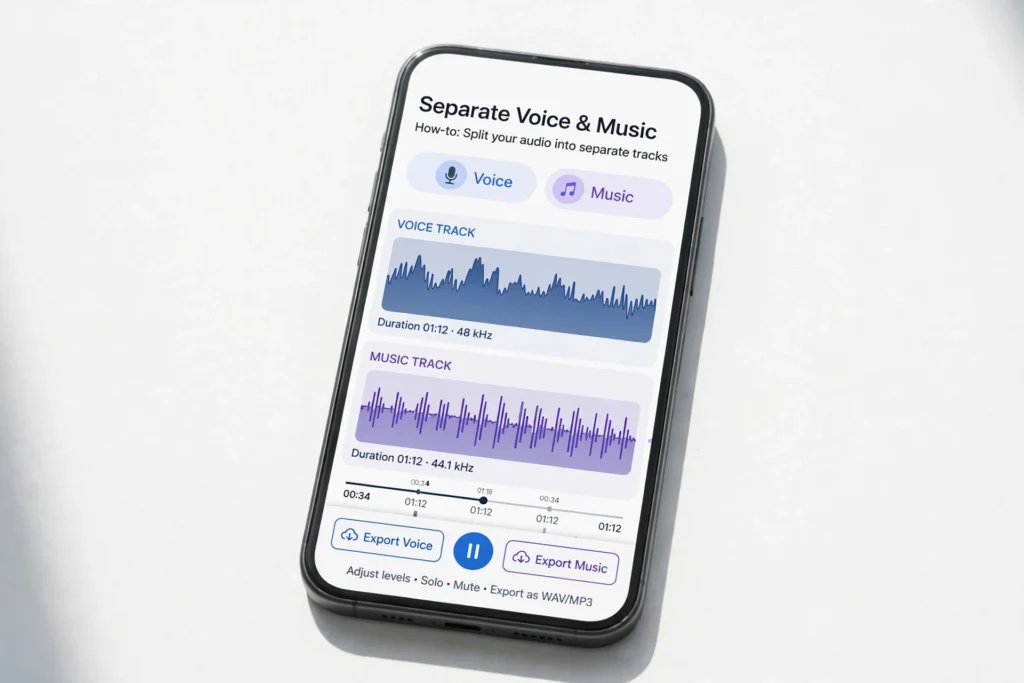
Many TikTok videos carry two different sound layers at once: the creator’s voice or original sound, and a music track added on top. Downloading the whole video does not give you those layers separately. This guide explains how to download TikTok audio and music separately, how to tell the layers apart, and how to keep each track clean for editing your own work.
Begin in your browser with SSS TikTok Downloader. The audio options on the tool page let you focus on sound, rather than saving only the full video file.
Understand the Two Sound Layers First
Before you download, listen to the video twice. First, listen for the voice, narration or original sound that belongs to the creator. Then listen for the background song or trending music that was layered over it. Knowing which layer you actually need saves you from downloading the wrong track and from editing a mixed file that cannot be separated later.
Step-by-Step: Separate the Audio and Music
- Identify the track you need. Decide whether you want the creator’s voice, the background music, or both as separate files. Write that choice down before you start, so you do not mix the files up.
- Copy the video link. Open the public video, use Share, then Copy link. Keep the link exact, because a wrong link gives you a different video’s sound.
- Open the tool and paste the link. Open SSS TikTok Downloader, paste the link, and wait for the download options. Look for the audio or music options, not just the video file.
- Download the audio track first. Choose the audio download option and save it with a clear name, such as video-topic-voice.mp3. Play it back and confirm you hear the voice or original sound clearly.
- Download the music track separately. If a separate music option is available, save it as a second file, such as video-topic-music.mp3. If only a combined audio file is offered, keep that file as the combined version and label it honestly as combined, rather than pretending it is a clean music track.
- Keep the two files apart. Store voice and music in separate subfolders, or at least with clearly different file names. Once they are mixed up, it is hard to tell which file is which without listening to both again.
Using Separated Audio in Your Own Editing
- Use your own voice track freely. If the voice is yours, you can reuse it in a new edit, a recap or a backup version of your own video.
- Check music rights before reuse. A popular song in a TikTok video is not automatically free for you to publish elsewhere. Use it for private listening or personal study unless you have permission or a licence that covers your use.
- Match the track length to your edit. Trim the separated track to the exact section you need, rather than using a long file with silence or unrelated sound at the end.
What Separating Audio Cannot Do
Separating the download options is not the same as unmixing a finished song. If a video’s voice and music were already mixed into a single sound file before upload, no downloader can pull them perfectly apart. In that case, the cleanest option is the original sound file from the creator, if they share it, or a separately licensed version of the music.
Safety Note
Only download audio from public videos, and only reuse a track if it is your own original sound or you have permission. Do not strip music from another creator’s video and publish it as your own, and do not use separated audio to mislead listeners about who made it. For the full creator-rights guidance, read safe use of TikTok downloads and creator rights. If you later want the full video in your gallery, see how to save a downloaded TikTok video to iPhone Photos and Android Gallery.
Frequently Asked Questions
Can I get the voice and the music as two completely clean files?
Only when the downloader offers them as separate options, or when the creator’s original sound and the music were separate tracks. A fully mixed upload cannot be perfectly unmixed by a download.
Why does my audio file contain both voice and music?
Because TikTok mixed them before the video was published. That file is a combined audio track, and you should label and use it as such.
Is separated audio good enough for editing?
For your own voice, yes, if the original recording was clear. For music, check the quality and the rights first, and use a licensed copy for any public project.
What should I name the files?
Use the topic plus the layer, for example cooking-tip-voice and cooking-tip-music. Clear names prevent the most common editing mistake: using the wrong track.

Content team at SSS-Tik. Sharing helpful guides, tips and updates for a better video experience.